Case Studies

Real projects with real stories. the what, the why, and the how behind each build.

AI Gym Bro

Your AI Fitness Companion

AI Gym Bro

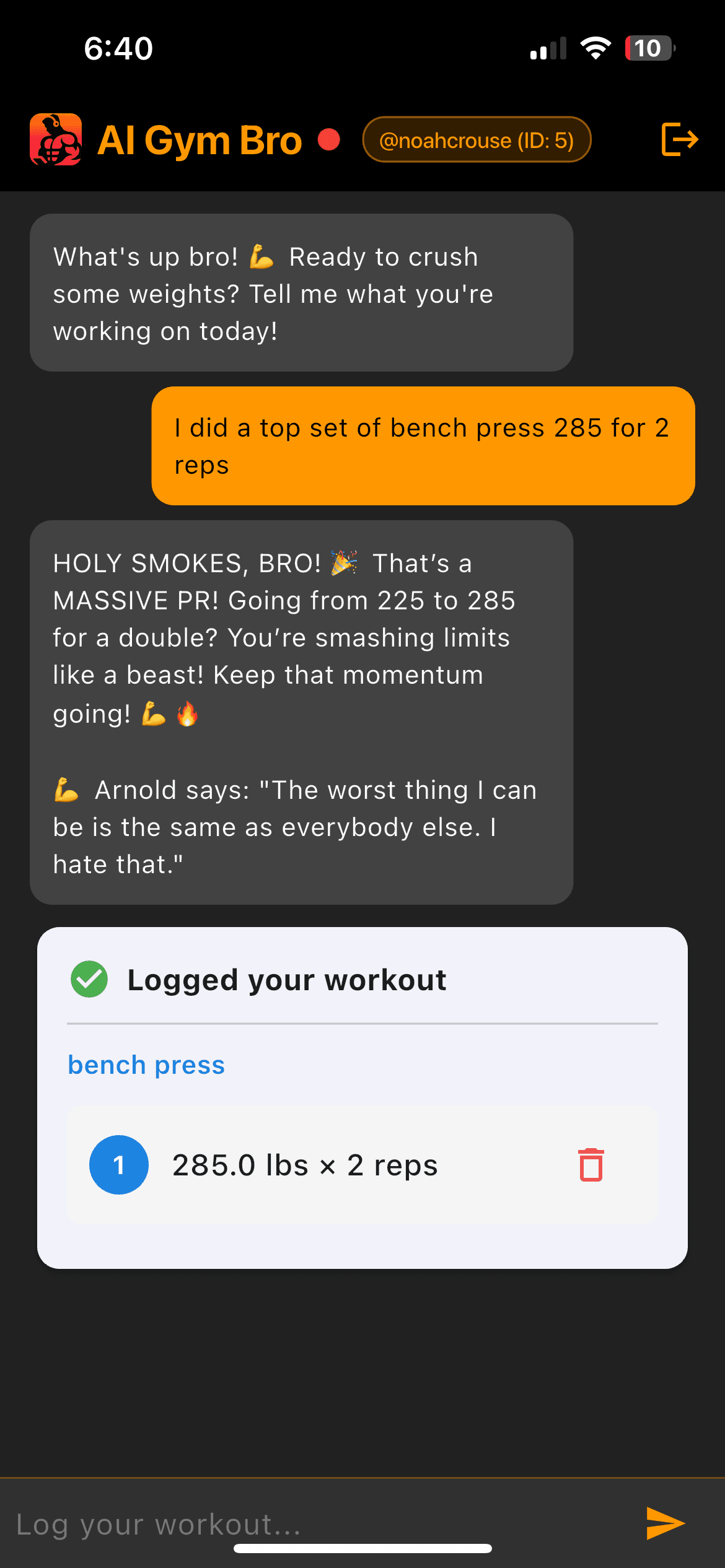
AI Gym Bro represents the kind of work I love: blending AI, UX, personality, and mobile development to create experiences that feel human and useful. It's not just a fitness tracker. it's a coach who knows your abilities, a cheerleader who has your back, a personal trainer who reminds you that it's leg day, no matter how much you want to skip. And it's an example of how AI can make everyday tasks more fun and individualized.

What it does

A conversational AI fitness tracker where users log workouts by chatting with an enthusiastic "gym bro" personality. It uses GPT-4o-mini to parse natural language into structured workout data, track personal records, and provide motivational feedback.

Why I built this

Every fitness app I tried felt like a spreadsheet. I wanted something that felt like texting a friend who happens to be really into lifting. Something that would remember my PRs, call me out when I skip legs, and actually make logging a workout feel fun instead of like homework.

Creative process

I started by thinking about the voice. Before writing any code, I wrote sample conversations. what would this AI say when you hit a new PR? What about when you log a half-hearted workout? The personality came first, and the architecture followed. I wanted every interaction to feel like it came from someone who genuinely cares about your progress.

Technical decisions

Flutter for cross-platform mobile, Python Flask for the backend API, PostgreSQL for structured workout data, and OpenAI's API for the conversational layer. I chose Flask for its simplicity. this app needed to be fast to iterate on, not over-engineered.

AI integration

The AI layer does more than chat. It parses messy natural language ("did 3 sets of bench, 185 for 8 reps, then dropped to 135") into structured data, detects personal records automatically, and adapts its motivational tone based on workout patterns.

How it works

Users type their workouts in natural language. The AI parses the input, extracts exercises/sets/reps/weight, stores it in PostgreSQL, checks for PRs, and responds with personality. The backend handles all the data logic while the AI handles the conversation.

What I learned

Personality is a feature, not a gimmick. Users kept coming back not because the tracking was better than competitors, but because the experience was more enjoyable. I also learned a lot about prompt engineering. getting an AI to be consistently encouraging without being annoying is harder than it sounds.

Built with

FlutterPython FlaskPostgreSQLOpenAI APIRender
DietPalAI

Smart Nutrition Tracking

DietPalAI

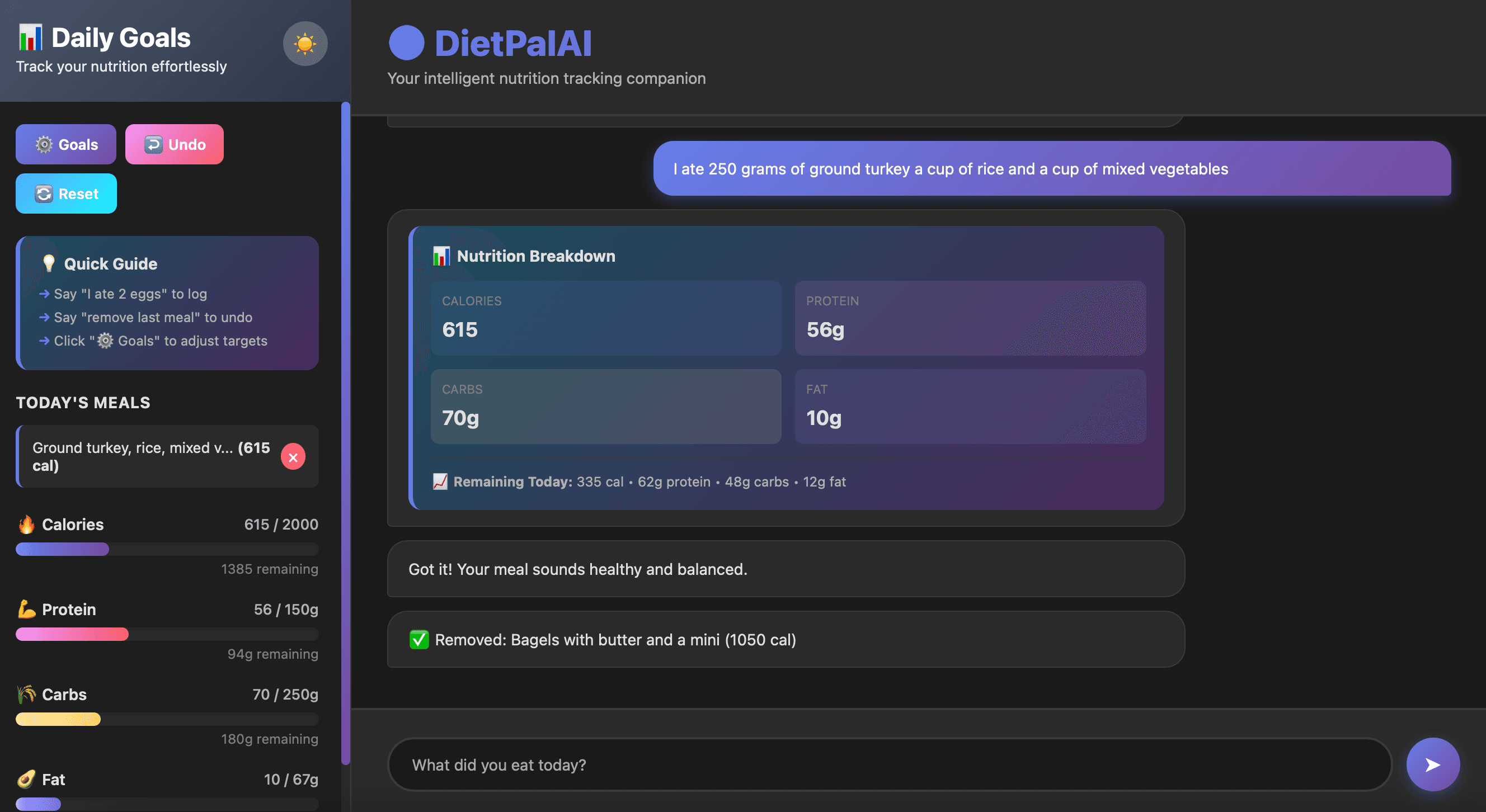
DietPalAI is what happens when you ask "what if a nutrition tracker actually understood how people talk about food?" Instead of searching databases for exact ingredients, you just describe what you ate. however chaotically. and the AI figures it out.

What it does

A nutrition tracking app that uses AI to parse natural language meal descriptions and automatically calculate calories and macros. Designed for both web and mobile to make healthy eating effortless.

Why I built this

Logging food is tedious. Most nutrition apps make you search through databases, weigh portions, and manually enter every ingredient. I wanted to just type "had a big bowl of pasta with chicken and some bread on the side" and have it figure out the rest.

Creative process

I focused on reducing friction to zero. The entire UX is built around one input: tell me what you ate. No dropdowns, no searches, no portion size selectors. Just language. The AI handles the ambiguity, and the interface stays clean.

Technical decisions

React for the web interface, Flutter for mobile, serverless functions for the backend to keep costs low, and OpenAI for the natural language parsing. Deployed on Netlify for instant scaling.

AI integration

The AI parses freeform meal descriptions into structured nutritional data. calories, protein, carbs, fat. It handles vague quantities ("a big bowl"), combined meals ("chicken stir fry with rice"), and even corrects common food description quirks.

How it works

Type what you ate in plain English. The AI breaks it into components, estimates portions, calculates macros, and logs it. You get a daily dashboard showing your intake with trends over time.

What I learned

Reducing friction is everything. The difference between "log your food in 5 taps" and "log your food in 1 sentence" is the difference between an app people use and an app people abandon. Also learned about handling AI uncertainty gracefully. sometimes the AI guesses wrong, and the UX needs to make corrections easy.

Built with

ReactFlutterServerless FunctionsOpenAI APINetlify
Snowball Runner

Endless Downhill Mayhem

Snowball Runner

What it does

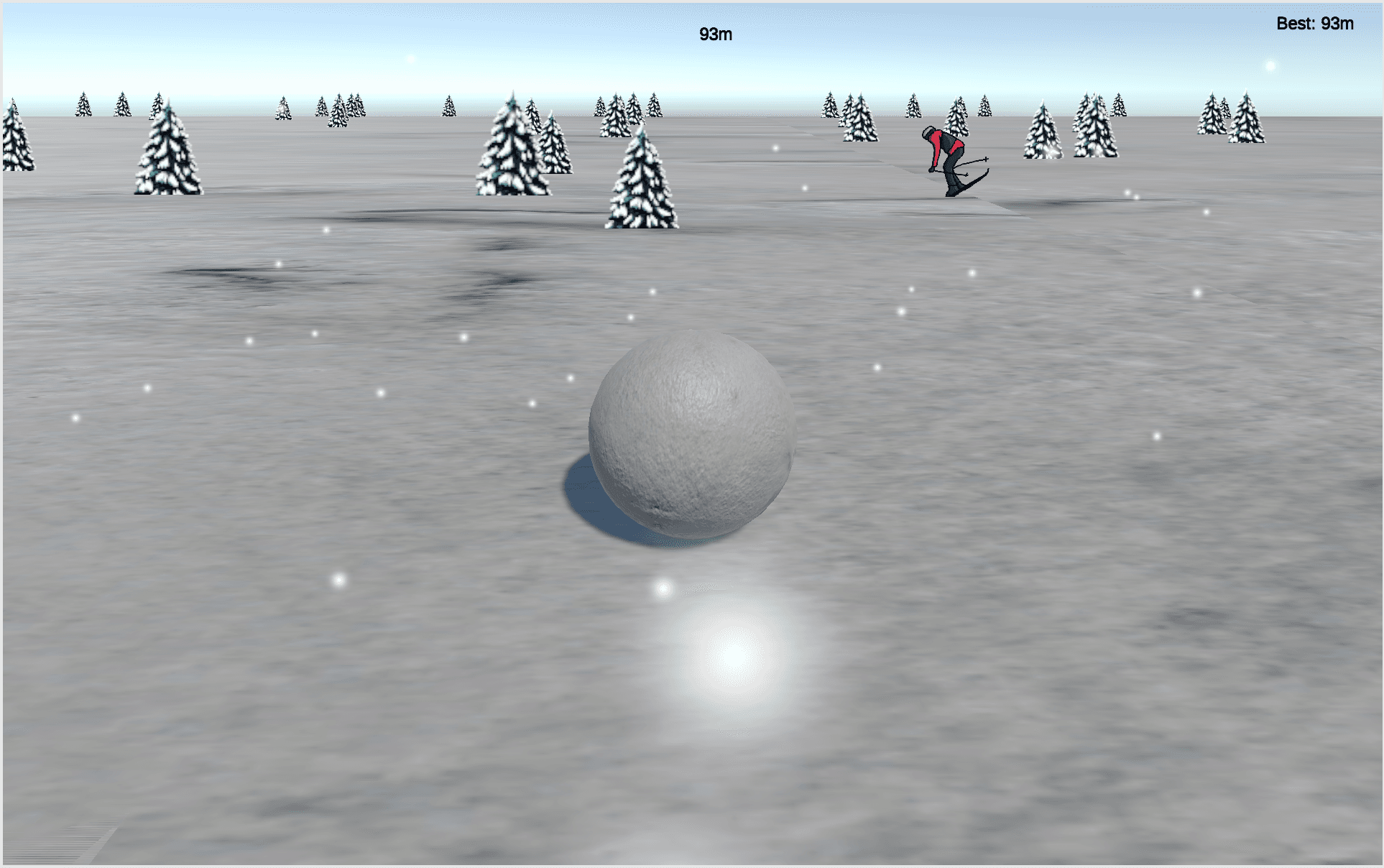
An addictive endless runner where players guide a snowball down a procedurally generated mountain slope. The snowball dynamically grows with speed and shrinks on collision, creating a unique risk-reward gameplay loop.

Why I built this

I wanted to explore procedural generation and dynamic physics in Unity. The concept was simple enough to scope tightly but had enough depth to experiment with. how does the snowball's changing size affect the feel? When does growing feel powerful vs. dangerous?

How it works

The mountain terrain generates procedurally as you descend. Obstacles (trees, skiers) spawn with increasing density. The snowball's size is tied to velocity. go fast and you grow, hit something and you shrink. Score scales with distance and speed.

What I learned

Game feel is everything. Tiny tweaks to the physics. how fast the ball grows, how much it shrinks on impact, the camera shake on collision. made the difference between "meh" and "one more run." Also got comfortable with Unity's physics system and procedural content generation.

Built with

UnityC#Unity Physics

Detect AI-Generated Content

AI Image Detector

What it does

A machine learning application that analyzes and identifies AI-generated images with high accuracy, helping users distinguish between authentic and AI-created visual content.

Why I built this

With AI-generated images becoming indistinguishable from real photos, I wanted to explore the other side of the equation. can AI detect its own creations? It was a chance to dig into computer vision and understand what makes generated images subtly different.

How it works

Upload an image and the model analyzes it using a trained TensorFlow classifier. It looks for patterns common in AI-generated images. subtle artifacts, frequency domain anomalies, and texture inconsistencies. and returns a confidence score.

What I learned

Working with image classification deepened my understanding of neural networks and data preprocessing. The biggest challenge was building a balanced training dataset. the model is only as good as the examples it learns from.

Built with

PythonTensorFlowOpenCVFlaskReact